
Open your new salon with essential free tools
At the beginning, you need to understand what to configure before clients arrive. With Saloria, you can create your free account immediately and prepare the general calendar, essential records, and product showcase, without a credit card or team approval.
Free with no expiration. No credit card required. One device. Includes 10 AI consultations a month with 5 simulations.
Create the account with the correct business data
To register, you need the salon's data, owner's details, country, legal entity, and required tax ID, as well as acceptance of the terms. Do not enter a temporary country: after creation, the tenant cannot change it independently. Also, verify the currency and time zone.
Configure the services you will actually open with
Start with an understandable and sustainable list, with realistic duration and availability. Do not publish treatments that are not yet ready or resources you do not have. The first calendar must describe the salon that will open, not the one you imagine having in the future.
Prepare the public page before promoting it
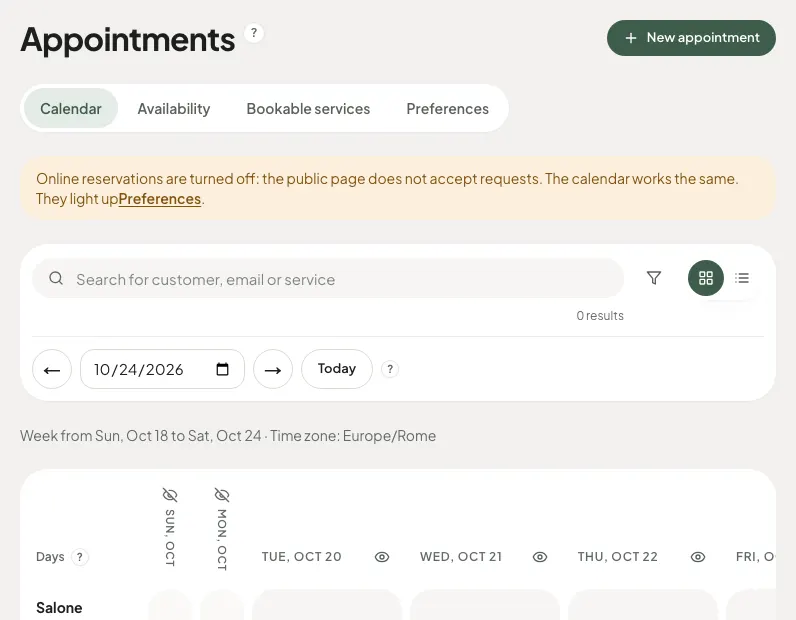
Check the name, logo, salon information, and bookable services. Bookings must be configured and enabled: the newly created account does not automatically open availability for clients. Test the public path from your phone before sharing the link.
Present the first products with care
The free showcase can start with a few products you actually sell, with verified photos and prices. Hidden products remain in the internal catalog. You don't need to publish a long list to look ready, and a shop with checkout or stock management is not included.
Add advanced features based on your work
The free subscription tier uses one device and a general calendar. Individual professional calendars start with Basic; consultation, analysis, reports, matching and AI previews are included in every plan. Opening permits, accounting, and cash registers require separate tools and verifications.
How to get started
- Register the business with correct data and country.
- Configure services, duration, and opening hours.
- Prepare logo, products, and public page.
- Test a booking before promoting the link.
Discover Saloria features
Learn more with the guides
Frequently asked questions
Can I create the account before the inauguration?
You can prepare the software with the correct business data. The account does not replace authorizations or requirements necessary to open.
Do I have to talk to the team to join for free?
No. The free account is created immediately after entering the mandatory data and accepting the terms.
Can I change the country after registration?
The country cannot be changed independently by the tenant. Check it before completing the registration and contact support for any corrections.
Does the software include the salon cash register?
No. Payments, accounting, cash register, and inventory are not included.
Saloria Editorial Team. Offer verified on October 24, 2026. The information does not guarantee economic or aesthetic results.