
Let clients book from your salon's website
The website explains who you are; the booking process should help the client choose when to come. With Saloria, you can link a button to the salon's public page or use the widget on your site, after configuring services and hours.
Free with no expiration. No credit card required. One device. Includes 10 AI consultations a month with 5 simulations.
A clear button in the right place
Place a link to the booking page near your services or contact information. Simple wording like “Book an appointment” clarifies what will happen. Use the public link provided by the salon and check it from a phone: do not link the button to the staff login page.
When to use the widget
The widget allows you to present the booking process within a page on your site. Verify that the system you use to manage your site allows embedding and test the available space on mobile. If the site does not allow it, a standard link to the public page remains a valid path.
Availability comes from the calendar
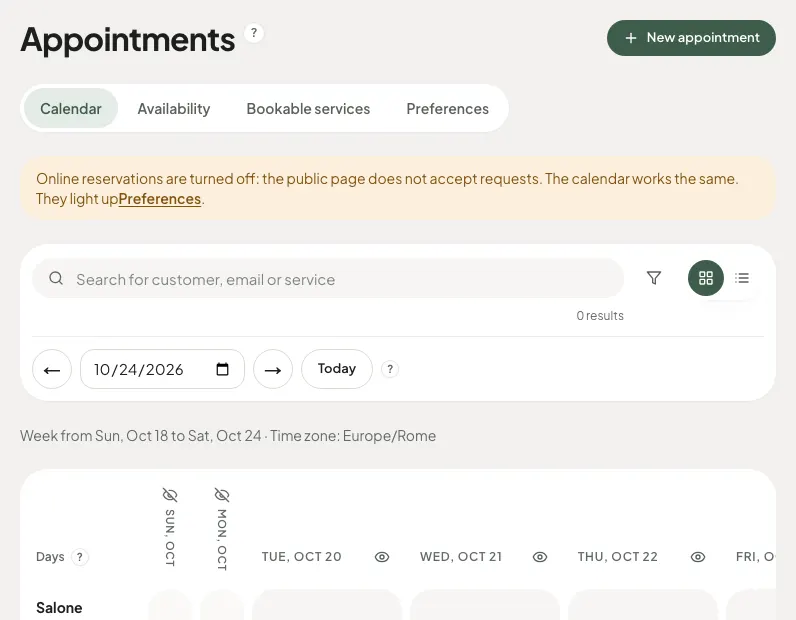
The website does not have an independent calendar to maintain manually: the public process uses the services, duration, and availability configured in Saloria. Any changes to hours must be made in the calendar and in the appropriate settings, not just in the text published on the site.
Check the complete process
Open the site as a visitor, choose a service, check the time zone, and verify the required data. If you have set up manual approval, communicate that it is a request. Make the salon's contact information easily accessible for those who cannot complete the process.
You can start with the free subscription tier
The general calendar and online bookings are included in the free subscription tier. You do not need to purchase the AI simulation to receive an appointment. The plan does not include hosting or website redesign, checkout, or online payments.
How to get started
- Configure services and availability in Saloria.
- Retrieve the public link or widget from the settings.
- Insert it into the site using your editor or with the person who manages it.
- Test the process on your phone and computer.
Discover Saloria features
Learn more with the guides
Frequently asked questions
Do I need to redo my website to use Saloria?
You can start by adding a link to the public page. To embed the widget, check the possibilities offered by your website.
Is the widget compatible with any platform?
The ability to embed it depends on the rules and plan of the website platform. It is not guaranteed that every editor accepts an embed.
Do I need to update two calendars?
The Saloria process uses the availability configured in Saloria. Any calendars from other providers require separate verification.
Is it necessary to have the client register?
The client uses the public page to book with the data required by the salon, without creating a staff account.
Saloria Editorial Team. Offer verified on October 24, 2026. The information does not guarantee economic or aesthetic results.