
Share a link to book at the salon on WhatsApp
“When do you have space?” can become a long conversation. Send the client the public Saloria link: they can check the configured availability and choose the service, while you continue to manage the relationship in your chat.
Free with no expiration. No credit card required. One device. Includes 10 AI consultations a month with 5 simulations.
A normal link, easy to forward
Copy the salon's public page and send it in the conversation when the client asks for an appointment. Add a sentence explaining which service to choose. You do not need to link your number to Saloria or give the software access to your WhatsApp contacts.
Clarify what they want to book first
If the client only asks for a time for a regular service, the link can simplify the exchange. If they want to bleach, color correct, or completely change their look, clarify first which service or consultation they need to book. Availability does not replace professional assessment.
Times come from your configuration
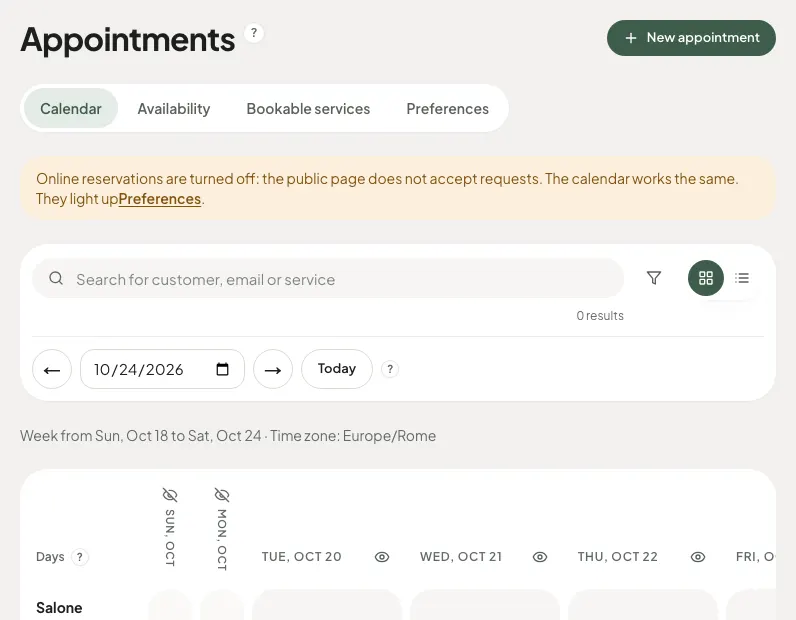
The page shows slots compatible with the services, durations, and hours set. Do not write different availability in the chat without updating the calendar. For appointments made verbally or by phone, enter the data into the appointment calendar so the public channel remains consistent with the salon's work.
A request is not always already confirmed
Explain to the client if you have chosen automatic confirmation or manual approval. After selecting the time, refer to the process and communications provided by the booking. A message in chat like “that’s fine” does not automatically update the appointment in Saloria.
No WhatsApp bot or automatic sending
The function described consists of sharing a link. It does not include reading chats, automatic replies, WhatsApp campaigns, or synchronization with messages. The free general appointment calendar helps organize appointments; communications in the channel remain under your control.
How to get started
- Prepare services and hours in the appointment calendar.
- Copy the public Saloria link.
- Send it to the client indicating the service to choose.
- Check the received request in the appointment calendar.
Discover Saloria features
Learn more with the guides
Frequently asked questions
Is it an integration with WhatsApp Business?
No. You can manually share the URL in the chat using the tools available on your phone. Saloria does not access your WhatsApp account.
Do appointments written in chat enter the appointment calendar by themselves?
No. The client must complete the public process or the salon must manually enter the appointment.
Can I continue to reply personally?
Yes. The link is used to choose a time; the relationship and professional clarifications remain with the salon.
Is the booking link available for free?
Yes. After configuring services, hours, and rules, you can use bookings linked to the free general appointment calendar.
Saloria Editorial Team. Offer verified on October 24, 2026. The information does not guarantee economic or aesthetic results.